Table of Contents
ToggleStanding desks and sit-stand workstations have reshaped how people work at home, and office stool chairs have become essential gear for anyone using these setups. Unlike traditional office chairs, stools encourage active sitting and better posture, but only if you pick the right one. With countless models on the market, from pneumatic-lift drafting stools to saddle-seat designs, choosing the best fit for your space and work style takes some assignments. This guide walks through everything needed to select, set up, and use an office stool chair that actually supports long work sessions without causing fatigue.
Key Takeaways
- An office stool chair encourages active sitting and better posture by eliminating full backrests and forcing core muscles to engage, reducing lower back discomfort over time.
- Office stool chairs range from 24–34 inches in height and are purpose-built for standing desks and sit-stand workstations, offering flexibility that traditional chairs cannot provide.
- Quality matters: invest in stools with high-density foam (2.5–3.0 lb/ft³), Class 4 gas lift cylinders, and five-point star bases rated for your flooring type to ensure durability.
- Different stool types serve different purposes—drafting stools suit general desk work, saddle stools work for detail-focused tasks, and wobble stools maximize core engagement for short sessions.
- Proper setup and gradual adaptation are essential: start with 30–45 minute sessions, adjust height so elbows rest at keyboard level, and allow your core muscles several weeks to build endurance.
- Mid-range office stool chair models ($120–$200) offer the best value, balancing superior cushioning and frame stability, while avoiding the quick wear-out of budget options and unnecessary expense of premium models.
What Makes an Office Stool Chair Different from Traditional Office Chairs?
The main distinction lies in height, mobility, and posture mechanics. Traditional office chairs sit 16–20 inches off the ground and include full backrests, armrests, and deep seat pans designed for long periods of fully seated work. Office stool chairs typically range from 24–34 inches in height, making them ideal for elevated desks, standing-height workbenches, or hybrid sit-stand setups.
Most stools feature minimal or no backrest, which forces the core muscles to engage and discourages slouching. The seat pan is often smaller, around 13–15 inches in diameter, and shaped to encourage an open hip angle. This positioning tilts the pelvis forward slightly, aligning the spine naturally without relying on lumbar cushions.
Stools also emphasize mobility. Many models use a 360-degree swivel base with a single gas lift cylinder, allowing users to shift positions frequently throughout the day. That movement is intentional: active sitting improves circulation and reduces the stiffness that comes from static postures. Some designs include a footring or footrest at the base, which helps stabilize the lower body when perched at taller heights.
Key Benefits of Using an Office Stool Chair in Your Home Office
Improved posture tops the list. Without a tall backrest to lean against, users naturally sit upright and engage their core. Over time, this builds strength in stabilizing muscles and can reduce lower back discomfort tied to prolonged sitting.
Better circulation comes from the open hip angle and frequent position changes. Traditional chairs can compress the backs of the thighs, restricting blood flow during long sessions. Stools promote a perched position that keeps legs at a more neutral angle.
Flexibility for sit-stand desks is another major advantage. Stools bridge the gap between sitting and standing, letting users take partial weight off their feet without fully committing to a seated posture. This makes it easier to stick with a standing desk routine instead of abandoning it after a few days of sore legs.
Space efficiency matters in compact home offices. Stools tuck completely under desks or counters, freeing up floor space. Many models weigh less than traditional chairs, making them easy to move between workstations or store when not in use.
Versatility extends beyond the desk. Drafting stools work well at craft tables, workbenches, and kitchen islands. Saddle stools are popular in hobby spaces where users need to lean over projects. This multi-use potential adds value if the home office doubles as a creative workshop.
Essential Features to Look for When Shopping for an Office Stool Chair
Start with seat material and cushioning. Foam density varies widely: cheaper stools use 1.5 lb/ft³ foam that compresses quickly, while quality models use 2.5–3.0 lb/ft³ high-density foam that holds its shape over years of use. Upholstered seats in breathable fabrics prevent heat buildup, while vinyl or faux leather wipes clean easily but can get sticky in warm rooms. For design-forward spaces, sites like Design Milk showcase contemporary stool options that balance aesthetics with function.
Base stability is non-negotiable. Look for a five-point star base made of reinforced nylon or metal. Cheaper four-point bases tip more easily, especially on carpet. Casters should be rated for your flooring type: hard plastic wheels work on carpet, while polyurethane or rubber-coated casters protect hardwood and tile.
Weight capacity matters even if you’re not a heavy user. Stools rated for 250+ pounds generally have sturdier frames and longer-lasting gas cylinders. Check the manufacturer’s specs, many budget models max out at 200 pounds and show wear faster under daily use.
Footrest or footring placement affects comfort significantly. The ring should sit 8–10 inches below the seat to support your feet without forcing your knees too high. Adjustable footrests are rare but worth seeking out if multiple users share the stool.
Height Adjustment and Ergonomic Support
Pneumatic gas lift cylinders are the standard adjustment mechanism. Quality cylinders hold their height setting without sagging: cheap ones drop slowly during the day, forcing constant readjustment. Look for Class 4 gas lifts, which meet higher safety and durability standards.
The adjustment range should cover at least 8–10 inches. For a standard standing desk (around 42 inches high), a stool adjusting from 24 to 34 inches lets users dial in the right height whether they’re sitting or perching.
Some models include a slight backrest or lumbar pad. These aren’t full back supports, they’re typically small cushions that touch the lower back as a reminder to maintain posture without encouraging leaning. If you’re transitioning from a traditional chair and find backless stools too challenging at first, this middle-ground option can help.
Tilt mechanisms are less common on stools but exist on higher-end models. A seat that tilts forward a few degrees can further open the hip angle, which some users find more comfortable for long sessions.
Types of Office Stool Chairs: Finding Your Perfect Match
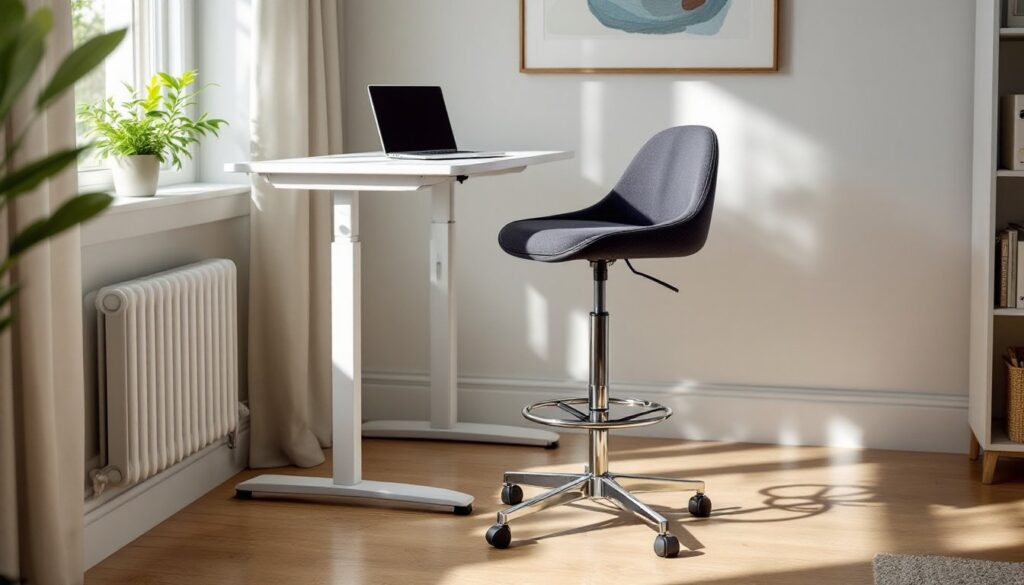
Drafting stools are the most common type, featuring a tall gas lift, round or contoured seat, and footring. They’re versatile and suit most desk work. Seat diameters range from 13 to 17 inches: smaller seats encourage active sitting, while larger ones offer more surface area for shifting positions.
Saddle stools have a raised center or split seat that resembles a bicycle saddle. This design forces the legs apart and the pelvis into a forward tilt, which can be very comfortable for some users but takes adjustment. They’re popular in dental offices and workshops where leaning forward is constant. Not ideal for long typing sessions unless paired with a very specific desk height.
Wobble stools or active sitting stools use a rounded or spring-loaded base that requires constant micro-adjustments to stay balanced. These engage core muscles aggressively and can improve balance over time, but they’re tiring for all-day use. Best for users who want maximum movement or plan to alternate with a traditional chair.
Kneeling stools angle the seat forward and include a padded shin rest. The user’s weight distributes between the seat and shins, which reduces pressure on the lower back. These work well for short tasks but can cause knee discomfort during extended sessions. Not recommended if you have existing knee issues.
Leaning stools or perch stools offer minimal seating, often just a small pad at standing height. They’re designed to take partial weight off the feet without fully sitting. Great for brief rest periods at standing desks but not suitable as a primary seat.
How to Choose the Right Office Stool Chair for Your Space and Needs
Start by measuring your desk or workstation height. For typing and general desk work, your elbows should rest at roughly 90 degrees when your hands are on the keyboard. If your desk is 42 inches high, a stool that adjusts to around 30–32 inches typically works well. Subtract the thickness of the seat cushion (usually 2–3 inches) from the overall height to find the effective sitting height.
Consider your daily tasks. If you spend hours typing, a drafting stool with a contoured seat and slight backrest offers the best balance. For detail work like drawing, crafting, or electronics, a saddle stool lets you lean in without compressing your chest. Resources like Homedit provide real-world office setups that show how different stool types fit into various home workspaces.
Evaluate your flooring. Casters rated for carpet won’t roll smoothly on hardwood, and hard plastic wheels can scratch finished floors. If you’re on tile or laminate, look for stools with rubber-coated or rollerblade-style casters. Some users prefer glides (stationary feet) for maximum stability, though these limit mobility.
Think about storage and portability. If your home office does double duty as a guest room or craft space, a lightweight stool that tucks away completely makes life easier. Models under 15 pounds are easy to move and store in a closet.
Budget realistically. Entry-level stools start around $60–$80 but often use thin foam and basic gas lifts that wear out within a year. Mid-range options ($120–$200) typically offer better cushioning, sturdier frames, and longer warranties. High-end ergonomic stools ($250+) include features like memory foam, adjustable footrests, and premium upholstery. For comparison, browsing curated collections like Houzz’s office chairs can give a sense of available styles and price points across different materials and finishes.
Setting Up and Using Your Office Stool Chair for Maximum Comfort
Start with proper height adjustment. Sit on the stool with your feet flat on the footring (or floor if no ring is present). Your thighs should slope slightly downward from hips to knees, not level and not sharply angled. Adjust the gas lift until your elbows naturally rest at keyboard height without hunching your shoulders or reaching upward.
Position the footring correctly. Your knees should bend at roughly 90–100 degrees when your feet rest comfortably on the ring. If the ring is fixed and doesn’t suit your leg length, try adjusting the seat height slightly or use a small platform under your feet.
Ease into active sitting. If you’re new to backless stools, start with 30–45 minute sessions and alternate with a traditional chair. Core fatigue is normal initially: your stabilizing muscles need time to build endurance. Over a few weeks, gradually extend your stool time as comfort improves.
Maintain the gas lift. Avoid “plopping” into the seat, lower yourself with control to reduce shock on the cylinder. Periodically check that the height adjustment lever moves smoothly and the cylinder isn’t leaking. Most cylinders last 3–5 years under normal use but can fail sooner if abused.
Adjust your workflow. Active sitting works best when paired with task variety. Alternate between typing, reading, phone calls, and standing throughout the day. The stool encourages movement, but even the best ergonomic setup becomes uncomfortable if you stay static for hours.
Wear appropriate PPE if using a stool at a workbench. If your stool doubles as shop seating, remember standard workshop safety: safety glasses for any cutting or grinding tasks, hearing protection if running loud tools nearby, and gloves when handling rough materials. Keep the stool’s casters clean of sawdust and debris to maintain smooth rolling.
With the right stool properly set up, most users notice improved posture and reduced lower back stiffness within a few weeks. The key is matching the stool type to your specific tasks and allowing your body time to adapt to active sitting.