Table of Contents
ToggleSitting at a desk for hours shouldn’t leave someone feeling like they’ve hauled lumber all day. Yet countless home office workers end their shifts with aching lower backs, tight hips, and the kind of stiffness that makes standing up feel like a negotiation. The culprit? Poor lumbar support, or none at all. Most standard office chairs treat the spine like it’s a straight line, when in reality it curves inward at the lower back. That gap between chair and lumbar curve is where discomfort takes root. Fortunately, fixing the problem doesn’t always require buying a new chair. With the right lower back support, whether it’s an add-on cushion or a built-in mechanism, anyone can turn a mediocre seat into something that actually supports eight-hour days.
Key Takeaways
- Lower back support for office chairs maintains your spine’s natural S-curve, preventing muscle fatigue, disc wear, and chronic pain from extended sitting.
- Add-on lumbar cushions (memory foam, mesh, or inflatable) offer quick, affordable solutions starting at $25, while built-in adjustable lumbar mechanisms in chairs provide superior long-term support but cost $300–$500+.
- Proper lumbar support should fill the gap between your chair and lower back with 2–4 inches of depth, positioned at the belt line where the lumbar curve peaks.
- Height and depth adjustments matter: position support based on your body type (shorter users lower, taller users higher) and dial in depth gradually to feel present without forcing your torso forward.
- Combine lower back support with correct seat depth, armrest height, and a slight forward seat tilt to maximize ergonomic benefits and eliminate discomfort.
- A properly installed and adjusted lumbar support cushion or mechanism typically takes just 15 minutes to set up and can transform an uncomfortable chair into a functional workspace for 8-hour workdays.
Why Lower Back Support Matters for Your Home Office Chair
The human spine isn’t built for extended sitting. It’s designed for movement, walking, bending, lifting. When someone sits without proper lumbar support, the natural S-curve of the spine flattens out, especially in the lower back (the lumbar region). That flattening forces muscles, ligaments, and spinal discs to compensate, holding the body upright in ways they weren’t designed for.
Over time, this misalignment leads to muscle fatigue, stiffness, and eventually chronic lower back pain. The intervertebral discs, those shock-absorbing cushions between vertebrae, also take a hit. Without the spine’s natural curve, pressure distributes unevenly, accelerating disc wear and increasing injury risk.
Proper lower back support does one simple but critical thing: it maintains that inward curve. A good lumbar support keeps the pelvis tilted slightly forward and the spine aligned, so muscles don’t have to work overtime. It’s not about comfort in the “feels like a couch” sense, it’s about biomechanics. The body functions better when the skeleton does its job of load-bearing, instead of dumping that work onto soft tissue.
For anyone working from home, especially those who’ve cobbled together a workspace from a dining chair or hand-me-down office seat, lumbar support is the difference between ending the day functional or stiff. And unlike standing desks or fancy ergonomic keyboards, lumbar support addresses the root issue: how the spine sits.
Types of Lower Back Support Solutions for Office Chairs
Not all lumbar support is created equal. The right solution depends on the chair, the user’s body, and how much adjustability is needed. Here’s what’s available.
Lumbar Support Cushions and Pillows
Lumbar cushions are the quickest, most affordable fix. These are add-on supports that strap or wedge onto an existing chair. They come in a few main types:
- Memory foam cushions: Dense foam that conforms to the lower back’s curve. These typically measure 12–14 inches wide by 10–12 inches tall and offer firm, consistent support. They’re ideal for chairs with flat or slightly curved backs.
- Mesh lumbar supports: Breathable and flexible, mesh supports provide lighter support and better airflow. They work well in warmer climates or for users who run hot. But, they compress over time and may need replacement every 1–2 years.
- Inflatable lumbar pillows: Adjustable via a small pump, these let users dial in the exact amount of support. They’re portable and useful for multiple seating situations, though they can feel less stable than foam.
- Contoured wedge cushions: Shaped to fit the lumbar curve precisely, these often include a 3–4 inch projection at the deepest point. Some include adjustable straps with buckle or Velcro closures to prevent slipping.
Most cushions attach with elastic straps, and better models include dual straps, one horizontal, one vertical, to lock the cushion in place. Cheaper single-strap versions tend to migrate during the workday.
One thing to watch: thickness. A cushion that’s too thick will push the user too far forward, forcing awkward arm and shoulder positioning. Most ergonomic specialists recommend a 2–4 inch depth at the lumbar peak, depending on the chair’s existing backrest curve.
Many contemporary furniture designs prioritize aesthetics over ergonomics, which is why aftermarket lumbar cushions remain popular even with newer chairs.
Built-In Adjustable Lumbar Mechanisms
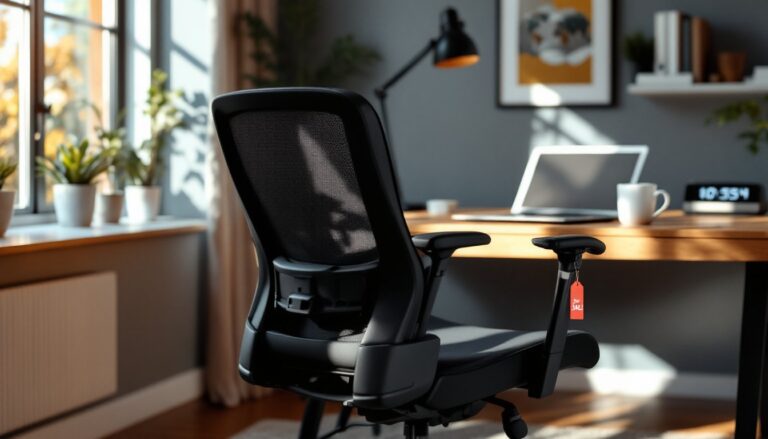
Higher-end office chairs often include integrated lumbar support. These mechanisms are built into the chair’s frame and backrest, offering more precise adjustment than add-on cushions.
There are three common types:
- Height-adjustable lumbar pads: A padded section that slides up or down the backrest, typically along a 4–6 inch vertical track. Users position the pad to align with their lumbar curve (usually 1–2 inches above the belt line). This type is common in mid-range ergonomic chairs.
- Depth-adjustable lumbar support: A dial or lever pushes the lumbar pad forward or pulls it back, changing how much it projects into the lower back. Adjustment range is usually 1–3 inches. This is the gold standard for personalized support, since lumbar curve depth varies significantly between individuals.
- Dynamic lumbar support: Found in premium chairs, these systems adjust automatically as the user shifts position. Some use elastomeric (flexible polymer) panels that flex with movement, while others use linked mechanisms that respond to recline angle. These are overkill for most home offices but valuable for users with back injuries or chronic pain.
Built-in supports integrate seamlessly with the chair’s overall ergonomics, armrest height, seat depth, recline tension, so everything works together. The downside? Cost. Chairs with true adjustable lumbar support start around $300–$400 and climb quickly from there.
For anyone shopping for a chair rather than retrofitting, adjustable lumbar is worth prioritizing. It’s harder to add later, and it addresses support in a way that cushions can’t quite match.
How to Choose the Right Lower Back Support for Your Chair
Choosing lumbar support isn’t about grabbing the highest-rated product on Amazon. It’s about matching the support to the chair, the user’s body, and how they sit.
Start with chair assessment. Sit in the chair and lean back naturally. Slide a hand behind the lower back. If there’s a gap larger than 1–2 inches between the backrest and lumbar curve, support is needed. Flat-backed chairs (common in budget office seating) almost always need a cushion. Chairs with a slight contour may only need minor augmentation.
Measure the gap. Use a tape measure or even a folded towel to estimate how much projection is needed. Most people need 2–4 inches of lumbar depth, but taller individuals or those with pronounced curves may need more. Too little support does nothing: too much forces unnatural posture.
Consider body type. Shorter users (under 5’4″) often need lumbar support positioned lower on the backrest, around 6–8 inches from the seat pan. Taller users (over 6’0″) need it higher, around 8–10 inches up. Adjustable-height cushions or chairs with sliding lumbar pads handle this variability best.
Think about duration. For users sitting 6–8+ hours daily, memory foam or built-in lumbar is the better choice. These materials maintain shape and support under sustained pressure. For occasional use, say, a home office used a few hours a week, a mesh or inflatable cushion works fine and costs less.
Check attachment method. Straps should be adjustable and durable. Look for nylon or polyester webbing at least 1 inch wide, with metal or heavy-duty plastic buckles. Velcro-only attachments wear out quickly. Some cushions are designed to wedge between the seat and backrest without straps, these work only on chairs with a gap at the base of the backrest.
Material and breathability. Memory foam is supportive but traps heat. Mesh or gel-infused foam helps with airflow. For users in warmer climates or those prone to sweating, breathable materials are worth the slight trade-off in firmness.
Test adjustability. If buying a cushion, make sure it can be repositioned easily. Some high-end models include removable inserts to tweak thickness. For built-in mechanisms, test the adjustment range in-store if possible. A lumbar control that only moves 1 inch isn’t much better than a fixed support.
Finally, avoid gimmicks. Cushions with heating elements, massagers, or “orthopedic certifications” are usually marketing fluff. What matters is shape, firmness, and adjustability.
One helpful resource: workspace planning guides that cover proper lumbar support alongside other ergonomic considerations like monitor height and desk depth.
DIY Installation and Adjustment Tips
Installing and dialing in lumbar support isn’t complicated, but doing it right makes the difference between relief and wasted money.
For strap-on cushions:
- Position the cushion vertically first. Sit in the chair with normal posture. The thickest part of the cushion should align with the belt line or 1–2 inches above it. That’s where the lumbar curve peaks for most people.
- Secure the horizontal strap. Wrap it around the backrest and thread through the buckle. Pull snug, but not tight, over-tightening compresses the cushion and reduces effectiveness. The cushion should stay in place when leaning back firmly.
- Add the vertical strap if included. Run it under the seat pan or around the chair base (depending on design) and connect to the cushion. This prevents upward migration during recline.
- Test and adjust. Sit for 10–15 minutes. If the cushion feels too high or low, reposition it. Small tweaks, even half an inch, can change comfort dramatically.
- Check for slipping. If the cushion slides during the day, tighten straps or add a non-slip mat (like the kind used under area rugs) between the cushion and chair back.
For chairs with built-in lumbar adjustment:
- Locate the control. It’s usually a dial on the side of the backrest or a lever behind the seat back. Some chairs have two controls, one for height, one for depth.
- Adjust height first. Move the lumbar pad up or down until it contacts the lower back at the belt line. Lean back to feel it. If it’s pressing into the mid-back or not touching at all, keep adjusting.
- Dial in depth. Increase projection gradually. The support should feel present but not aggressive. If it forces the torso forward or causes the shoulders to round, it’s too deep. Back it off slightly.
- Sit for 30 minutes, then reassess. Lumbar support can feel odd at first, especially if the body is used to slouching. Give it time. If discomfort persists after a few days, reduce depth or height slightly.
General adjustment tips:
- Combine lumbar support with proper seat depth. The seat pan should allow 2–3 inches of clearance between the front edge and the back of the knees. Too much seat depth undermines lumbar support by pulling the pelvis backward.
- Adjust armrests, too. Arms should rest lightly on armrests with shoulders relaxed. If armrests are too high, they push the shoulders up and tilt the pelvis backward, negating lumbar support.
- Use a footrest if needed. For shorter users, feet should rest flat on the floor or a footrest. Dangling feet tilt the pelvis backward and flatten the lumbar curve, even with good support in place.
- Reconsider seat tilt. Many ergonomic chairs allow forward or backward seat tilt. A slight forward tilt (1–3 degrees) encourages the pelvis to rotate forward, supporting the lumbar curve naturally. Combine this with lumbar support for maximum effect.
Safety note: If installing a cushion with straps, ensure they don’t interfere with chair controls, especially recline levers or pneumatic height adjustments. A strap catching on a lever can cause the chair to drop unexpectedly.
No special tools are required for any of this. It’s a matter of positioning, testing, and small adjustments. The goal is a setup where sitting upright feels natural, not forced.
Conclusion
Lower back support isn’t a luxury, it’s basic ergonomics. Whether it’s a $25 memory foam cushion or a $500 chair with adjustable lumbar, the principle is the same: maintain the spine’s natural curve, and the body does the rest. Most home office setups can be fixed with a good cushion and 15 minutes of adjustment. The payoff? Less pain, better focus, and the ability to sit through a full workday without feeling like the chair is the enemy.