Table of Contents
ToggleSetting up a functional home workspace doesn’t require draining the bank account. With more people working remotely, whether full-time or in hybrid arrangements, there’s massive demand for office seating that won’t cause back pain or buyer’s remorse. The market’s responded with a surprising number of solid chairs in the under-$100 range that check the boxes for daily use. These aren’t knock-off executive thrones or wishful thinking disguised as furniture. They’re real chairs with mesh backs, adjustable features, and frames that’ll last more than a few months of steady use.
Key Takeaways
- An office chair under $100 handles 4-6 hours of daily sitting without pain or performance issues, making it ideal for remote workers and home offices.
- Budget office chairs prioritize essential features like seat cushion density, lumbar support, and adjustment mechanisms while cutting costs on premium materials like leather and aluminum.
- Look for mesh backs, waterfall seat edges, and higher weight capacity ratings (250+ lbs) to ensure durability and proper ergonomic support in a budget chair.
- Affordable add-ons like lumbar cushions ($15-$30), gel seat pads ($20-$40), and upgraded casters ($20-$35) significantly boost comfort and extend the lifespan of budget-friendly office chairs.
- Refurbished commercial chairs from liquidators offer superior build quality over new budget models and can be found in the $90-$150 range with proper inspection.
Why You Don’t Need to Overspend on a Home Office Chair
The $500-$1,200 office chair category exists for a reason, commercial-grade durability, advanced lumbar mechanisms, and warranties that stretch a decade or more. But here’s the thing: most home users aren’t logging the brutal 8-10 hour shifts that corporate task chairs are engineered for.
A quality budget chair under $100 typically handles 4-6 hours of daily sitting without issue. If the workday includes standing desk breaks, meetings away from the computer, or field work, that usage pattern fits perfectly within what these chairs can deliver. The gap between a $90 chair and a $600 model shrinks considerably for moderate use.
Manufacturers have also gotten smarter about where to allocate cost. Instead of premium leather or aluminum bases, budget chairs focus resources on the parts that matter most: the seat cushion density, lumbar support structure, and adjustment mechanisms. A mesh back costs less to produce than leather but often provides better ventilation and comparable support for home office conditions.
The trick is knowing what trade-offs you’re making. Budget chairs usually sacrifice maximum weight capacity (often rated to 250 lbs instead of 300+ lbs), fewer adjustment points (tilt lock instead of multi-position tilt), and shorter warranties. For someone outfitting a spare bedroom office or a college apartment, those compromises are perfectly reasonable.
Key Features to Look for in Budget Office Chairs
Ergonomic Support on a Budget
Ergonomics at this price point won’t match what physical therapists specify for injury recovery, but functional support absolutely exists. The baseline requirements include adjustable seat height via pneumatic cylinder (standard across nearly all modern office chairs) and some form of lumbar support, either a fixed curve in the backrest or a separate cushion.
Look for chairs with waterfall seat edges, where the front curves downward slightly. This design reduces pressure on the back of the thighs and improves circulation during extended sitting. Budget chairs often skip adjustable armrests, but fixed arms at the right height (roughly 7-9 inches above the seat) still provide useful elbow support for keyboard work.
Seat depth matters more than most people realize. A seat pan that’s too deep forces shorter users to choose between lumbar contact and proper knee position. Ideally, there should be 2-4 inches of clearance between the seat edge and the back of your knees when sitting with your back against the rest. Some budget models offer seat slider adjustments, though that’s less common below $100.
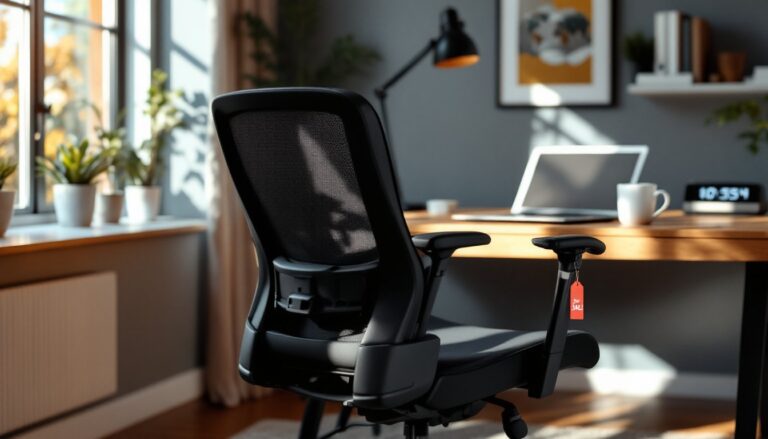
Mesh backs deserve special mention. They distribute weight more evenly than solid plastic and allow airflow, which makes a noticeable difference in warm months or poorly ventilated rooms. The trade-off is that lower-grade mesh can stretch out after 12-18 months of heavy use. Check product reviews for mentions of “sagging” or “loss of tension” to gauge durability.
Durability and Build Quality
The weak points on budget chairs are predictable: casters, armrests, and gas cylinders. Cheap plastic wheels crack or lock up on carpet. Armrests that attach with thin screws strip out or wobble after a few months. Gas lift cylinders occasionally fail early, leaving you stuck at one height or slowly sinking during use.
To screen for better build quality without physically testing the chair, look for these markers:
- Weight capacity rating of 250 lbs or higher. Even if you’re well below that limit, higher capacity usually correlates with stronger frames and better materials.
- Nylon chair bases (the five-spoke star) rather than cheaper ABS plastic. Nylon flexes under stress without cracking.
- Class 3 or Class 4 gas lift cylinders (if specified). Class 4 cylinders use thicker-walled tubing and handle more cycles before failure.
- Replaceable casters. Standard 7/16-inch grip-ring stems mean you can swap in rollerblade-style wheels later if the stock ones wear out.
Assembly is also a clue. Chairs that ship mostly assembled (just attach the base and backrest) tend to have fewer failure points than models requiring 15+ screws and allen wrenches. Over-complicated builds at this price often mean loose tolerances and wobbly results.
Some creative DIYers turn to budget-friendly modifications to upgrade inexpensive chairs with aftermarket cushions or lumber pillows, extending usable life and comfort without replacing the entire unit.
Top Office Chair Options Under $100 for Your Home Workspace
Mesh Task Chairs dominate the budget category for good reason. Models with mid-back mesh designs, pneumatic height adjustment, and fixed arms routinely land in the $70-$95 range. These work well in tight spaces like apartment home offices, where ventilation and a smaller footprint matter. Expect basic tilt functionality and minimal padding, you’re sitting on molded foam over plywood, not memory foam.
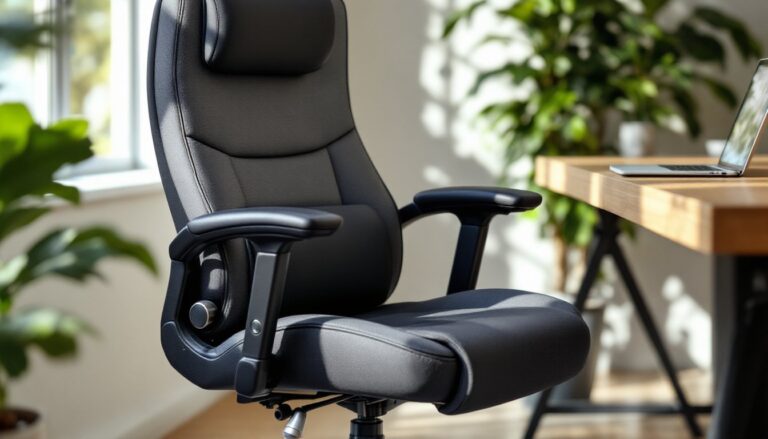
Mid-back ergonomic chairs with fabric upholstery offer more cushioning and a slightly wider seat pan, usually priced $80-$100. These suit users who prefer a softer sit or find mesh uncomfortable against bare legs in shorts. The downside is heat retention and faster fabric wear in high-use spots.
Gaming-style chairs occasionally dip under $100 during sales. These bring bold aesthetics (often unnecessary for a professional home workspace) and bundled pillows for neck and lumbar support. Build quality at this price is hit-or-miss, some use decent PU leather over thick padding, while others feel like sitting on cardboard wrapped in vinyl. Check weight limits carefully: budget gaming chairs often max out at 225-250 lbs.
IKEA and big-box store house brands (Target’s Room Essentials, Amazon Basics, Walmart’s Mainstays) deliver predictable performance. They’re engineered to hit a price point with acceptable quality, which means standardized parts and straightforward assembly. Many reviewers on small space furniture sites praise these for basic reliability in compact setups, though they rarely exceed expectations.
Refurbished commercial chairs represent a wildcard option. Office liquidators and used furniture dealers sometimes sell refurbished Steelcase or Herman Miller models with cosmetic flaws or replaced parts for $90-$150. These require more shopping effort and carry unknown usage history, but the core build quality far exceeds new budget chairs. Just inspect the gas cylinder, casters, and lumbar mechanism carefully before buying.
Reputable reviews, like those found in comprehensive office chair roundups, often test dozens of models across price ranges and can help narrow the field based on specific needs like height range or weight capacity.
How to Maximize Comfort When Working with a Budget Chair
Even a well-chosen budget chair benefits from smart setup and add-ons. Start with proper height adjustment. Feet should rest flat on the floor (or a footrest) with thighs roughly parallel to the ground. Armrests, if present, should let shoulders relax without shrugging up or slumping down. Too many people leave the chair at the default height straight out of the box.
Aftermarket lumbar cushions ($15-$30) make a measurable difference on chairs with minimal built-in support. Look for memory foam or mesh versions with adjustable straps. Position the cushion in the small of your back (around belt line), not up between shoulder blades. The goal is to maintain the spine’s natural S-curve, not push you forward off the seat.
Seat cushions or gel pads ($20-$40) add life to thin factory padding. Gel pads distribute weight and reduce pressure points, while memory foam cushions add overall thickness. Just don’t stack cushions so high that your feet no longer touch the floor, that creates new ergonomic problems.
Upgrade the casters if the stock wheels struggle on carpet or hardwood. Rollerblade-style polyurethane wheels ($20-$35 for a set of five) roll smoothly on both surfaces without scratching floors or requiring a chair mat. They’re a direct swap on most chairs, just pull the old casters out of the base and press the new ones in.
Use a footrest if the chair’s lowest setting still leaves your feet dangling. A simple angled footrest ($15-$25) beats sitting with poor leg support for hours. This is especially relevant for users under 5’4″ or in workspaces where desk height isn’t adjustable.
Schedule micro-breaks. No chair, budget or premium, should be used for uninterrupted multi-hour sessions. Stand, stretch, or walk for 2-3 minutes every 45-60 minutes. This habit reduces strain more effectively than any lumbar adjustment.
Maintain the chair. Tighten screws and bolts every few months. Dust and debris in the tilt mechanism or casters cause premature wear. If the gas cylinder starts sinking, replacement cylinders cost $20-$40 and install with basic tools, much cheaper than replacing the whole chair.
Conclusion
A sub-$100 office chair won’t rival commercial-grade seating, but it doesn’t need to for most home workspace setups. Focus on the fundamentals, adjustable height, adequate lumbar support, and solid construction where it counts, and skip features that add cost without real benefit. Pair a well-chosen budget chair with simple ergonomic practices and a few inexpensive upgrades, and the result is a workspace that supports productive, comfortable workdays without the premium price tag.