Table of Contents
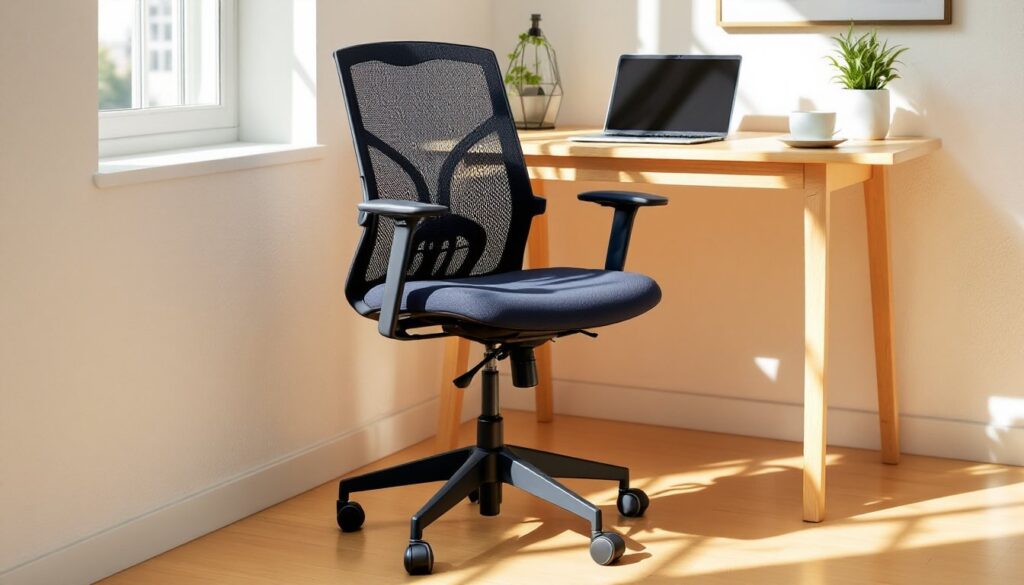
ToggleArmless office chairs have surged in popularity as more people optimize their home workspaces for flexibility and comfort. Unlike their armed counterparts, these streamlined seats let users move freely, slide under desks completely, and accommodate a wider range of body types and work styles. Whether someone’s setting up a compact home office, outfitting a multi-use space, or simply prefers unrestricted movement, understanding the advantages and specifications of armless seating makes all the difference. This guide covers everything needed to choose, set up, and decide if an office chair with no arms is the right fit.
Key Takeaways
- An office chair with no arms slides completely under desks, frees up floor space, and works beautifully in compact home offices and multi-use spaces.
- Armless chairs cost 15-25% less than armed versions and accommodate a wider range of body types, sitting preferences, and unconventional work styles like crafting or playing instruments.
- Prioritize built-in lumbar support, adjustable seat depth (2-4 inches behind the knees), and proper seat height alignment to prevent discomfort when using an armless office chair.
- Armless designs aren’t ideal for users who type 6+ hours daily without breaks, as they miss the forearm support that reduces shoulder strain—armed chairs may be better for extended typing tasks.
- Set your armless chair at 100-110 degrees recline, ensure desk height sits at elbow level, and test the setup for at least 15 minutes to confirm comfort before committing.
Why Choose an Office Chair With No Arms?
Armless office chairs aren’t just a stripped-down version of traditional seating, they solve specific problems that armed chairs create. The absence of armrests opens up possibilities that matter in real-world home office scenarios.
First, desk clearance is a big deal. Most standard desks sit at 29-30 inches high, but many office chairs with arms measure 25-27 inches to the top of the armrest. That leaves only 2-5 inches of clearance, and chunky or fixed-width arms often won’t slide under at all. Armless chairs eliminate this issue entirely, tucking neatly out of the way and freeing up floor space in tight quarters.
Second, they accommodate cross-legged sitting, lateral movement, and unconventional postures without obstruction. Anyone who shifts positions frequently, tucks a leg up, or leans to one side will find armrests restrictive. Armless designs let the user move as needed without bumping into hardware.
Third, these chairs work beautifully in multi-use spaces. A chair that slides under a desk can double as dining seating, a piano bench, or extra seating when guests arrive. That versatility is especially valuable in smaller homes where every piece of furniture needs to earn its keep.
Key Benefits of Armless Office Chairs
- Space efficiency: Chairs nest completely under desks, opening up walking paths and making rooms feel larger.
- Body inclusivity: No fixed arm width means the chair fits a wider range of body types and sitting preferences.
- Easier desk access: Users can pull closer to the work surface without arms blocking the way, improving posture for keyboard and mouse work.
- Cost savings: Armless models typically cost 15-25% less than comparable armed versions due to simpler construction.
- Flexibility for tasks: Ideal for playing instruments, crafting, or any activity where lateral arm movement is essential.
- Reduced wear on desk edges: Arms won’t scrape or dent desk surfaces during repeated slide-ins.
Who Should Consider an Armless Office Chair?
Armless chairs aren’t universal solutions, but they’re ideal for specific users and situations.
Compact workspace owners top the list. Anyone working in a bedroom corner, closet office, or shared dining table benefits from the space-saving profile. If floor space is measured in square feet rather than square yards, an armless chair makes the area feel less cramped.
Multi-taskers and creatives who shift between typing, sketching, handwriting, or playing instruments appreciate the freedom of movement. Guitar players, for example, can’t comfortably strum with armrests in the way. Same goes for anyone using large drafting pads or sewing machines at their desk.
Hot-deskers and shared office users value the universal fit. An armless chair works for different people without adjustment friction. There’s no fighting with armrest height or width settings, just sit down and get to work.
Budget-conscious buyers looking for quality features without paying for armrests can redirect those savings toward better lumbar support, upgraded upholstery, or a higher weight capacity. For many creative DIY projects, the right chair setup matters as much as the desk itself.
People with shoulder or arm injuries sometimes find armrests aggravate existing issues or limit natural movement during recovery. An armless design removes that potential irritation.
Who should skip them? Anyone who types for 6+ hours daily without breaks may miss the forearm support that reduces shoulder strain. Same for users with lower back issues who rely on armrests to assist standing up from a seated position.
Essential Features to Look for in an Armless Office Chair
Not all armless chairs are created equal. Focus on these specs to avoid ending up with a glorified dining chair that wrecks posture after two hours.
Lumbar support becomes even more critical without armrests. Look for built-in lumbar curves or adjustable lumbar pads that hit the natural curve of the lower spine, roughly 4-6 inches above the seat pan. Fixed lumbar support works if it matches the user’s back, but adjustable mechanisms offer better long-term comfort as posture shifts throughout the day.
Seat depth adjustment matters more than most people realize. The ideal seat depth leaves 2-4 inches between the back of the knees and the seat edge. Too deep, and it pushes users forward, negating lumbar support. Too shallow, and thighs don’t get adequate support. Quality chairs offer 2-3 inches of depth adjustment via a sliding seat pan or lever mechanism.
Weight capacity shouldn’t be overlooked. Most office chairs are rated for 225-250 pounds, but heavy-duty models go up to 300-400 pounds with reinforced bases and thicker gas cylinders. Check the manufacturer’s specs, exceeding weight limits voids warranties and risks mechanical failure.
Caster type depends on flooring. Hard plastic casters suit carpet (they dig in for traction), while rubber or polyurethane casters protect hardwood, tile, and laminate. Standard caster diameter is 2 inches: larger 2.5- or 3-inch casters roll more smoothly and won’t sink into plush carpet.
Adjustability range for seat height should cover at least 4-5 inches. Standard pneumatic cylinders offer 16-21 inch height ranges measured from floor to seat top. Taller or shorter users need to verify the range matches their desk height and leg length.
Upholstery breathability affects all-day comfort. Mesh backs promote airflow and prevent sweat buildup, while padded fabric or faux leather feels more cushioned but traps heat. For anyone working through modern furniture modifications, matching chair material to the overall workspace aesthetic helps the room feel cohesive.
How to Set Up Your Armless Office Chair for Maximum Comfort
Buying the right chair is half the battle. Setup determines whether it prevents or causes discomfort.
Start with seat height. Sit with feet flat on the floor. Thighs should be parallel to the ground or angled slightly downward (a 90-100 degree hip angle works best). Knees should sit level with or slightly below hips. If feet dangle, lower the seat or add a footrest. If knees are higher than hips, raise the seat.
Adjust seat depth so there’s 2-4 inches of space behind the knees. Too much space wastes thigh support. Too little space restricts circulation and puts pressure on the back of the legs.
Position lumbar support to match the natural inward curve of the lower spine. It should feel like gentle pressure pushing the lower back forward, not a hard object jabbing the middle back. Adjust height and depth until it feels supportive without being intrusive.
Set the backrest angle to 100-110 degrees, slightly reclined, not bolt upright. A 90-degree angle forces the spine into an unnatural posture and increases disc pressure. Most chairs have a tension knob under the seat that controls recline resistance. Tighten it if the chair leans back too easily: loosen it if reclining feels stiff.
Check desk height compatibility. The desk surface should sit at or just below elbow height when shoulders are relaxed. If the desk is too high, the user will hunch shoulders upward (hello, neck pain). Too low, and they’ll slouch forward. Adjustable-height desks solve this perfectly, but fixed desks may require a keyboard tray or seat height compromise.
Add a seat cushion if needed. Some users find armless chairs lack the padding of executive models. A 2-3 inch memory foam or gel cushion adds comfort without drastically changing seat height. Secure it with non-slip backing to prevent shifting.
Test for at least 15 minutes before committing to the setup. Sit, type, lean back, shift positions. Small tweaks during this trial period prevent weeks of discomfort later.
Armless vs. Armed Office Chairs: Making the Right Choice
The armrest debate isn’t about one being objectively better, it’s about matching the chair to the user’s work style, space, and physical needs.
Armless chairs win on:
- Workspace flexibility: They slide under desks, fit into tight corners, and double as dining or side chairs without looking out of place.
- Unrestricted movement: Users can shift, cross legs, lean sideways, or swivel without obstruction.
- Budget and simplicity: Fewer moving parts mean less mechanical failure and lower replacement costs.
- Universal fit: No adjusting armrest height or width for different users.
Armed chairs win on:
- Forearm support during typing: Armrests reduce shoulder and upper back strain during long typing sessions by supporting forearm weight.
- Assistance standing and sitting: Armrests provide leverage for users with knee, hip, or lower back issues.
- Defined personal space: In shared environments, armrests create a psychological boundary.
- Ergonomic standards compliance: Some corporate ergonomic policies require adjustable armrests as part of workstation assessments.
Here’s a practical test: if someone’s work involves primarily keyboard and mouse tasks for 4+ hours daily, adjustable armrests help. If they shift between tasks, writing by hand, using a tablet, playing an instrument, or working on contemporary design projects, armless chairs offer needed freedom.
Hybrid options exist. Some chairs feature removable or flip-up arms that can be deployed or stowed based on the task. These cost 10-20% more than fixed-arm models but offer flexibility without committing to either extreme.
Consider the desk type. Fixed-height traditional desks pair well with armless chairs due to clearance issues. Adjustable standing desks work with either style since height can compensate for armrest clearance. Corner desks with wraparound surfaces often benefit from armless chairs that can slide fully beneath either side.
Physical needs override preferences. Anyone with chronic shoulder pain, rotator cuff issues, or repetitive strain injuries should consult an ergonomic specialist or physical therapist before choosing. Sometimes the right chair setup, with or without arms, requires professional input to avoid making existing conditions worse.
Conclusion
Office chairs without arms deliver space savings, movement freedom, and versatility that armed chairs can’t match. They’re ideal for compact workspaces, multi-use areas, and anyone who values unrestricted sitting positions over forearm support. Focus on lumbar support, adjustability range, and proper setup to maximize comfort. The right armless chair, properly configured, supports productive work without compromise, just make sure it fits the actual work being done, not an idealized vision of office ergonomics.